
If you buy through affiliate links, we may earn commissions, which help support our product reviews.
Last updated: Aug 15, 2026
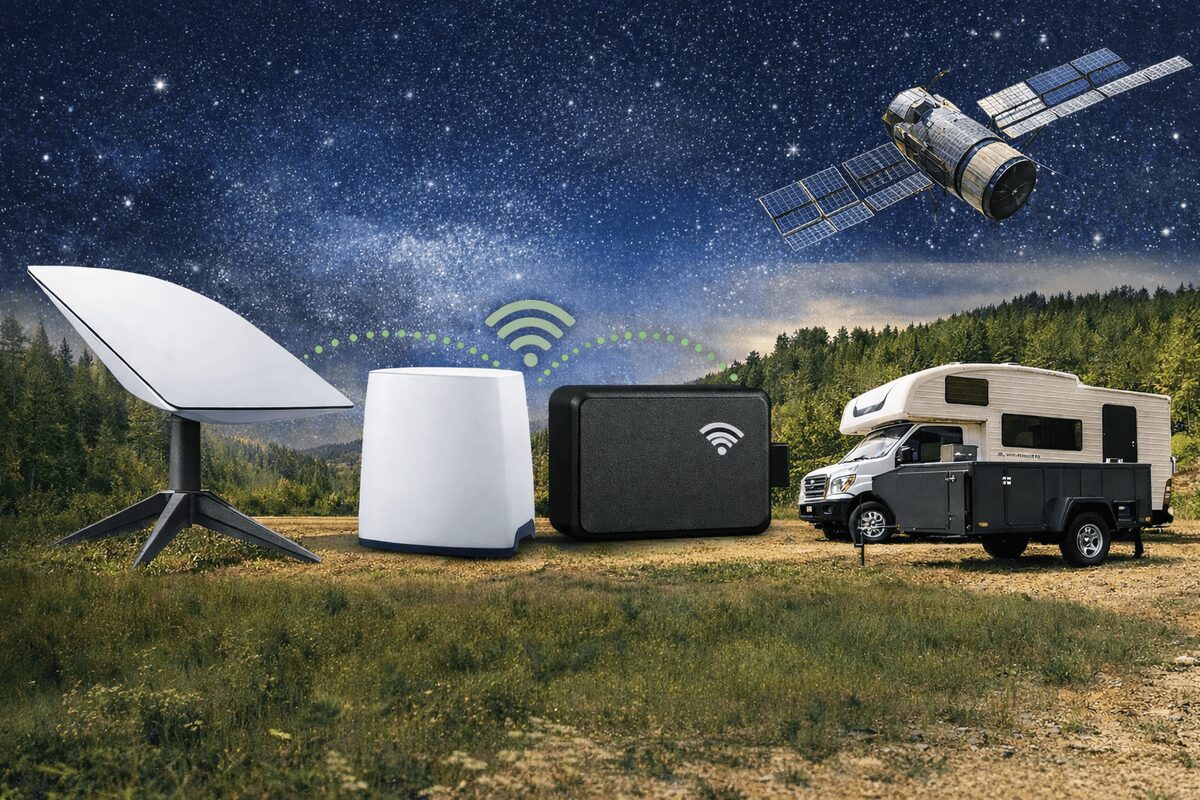
If you already use Starlink to get internet in remote areas, you can pair it with a Wi-Fi GPS tracker that works with Starlink to track vehicles, boats, and assets without cellular service and without monthly subscription fees.
Quick answer: A GPS tracker “works with Starlink” if it can upload GPS data over Wi-Fi. Starlink provides the Wi-Fi internet connection; the tracker uploads if it’s in range of your Starlink router (or mesh access points connected to it).
Table of contents
- What “works with Starlink” really means
- Who this setup is best for
- Wi-Fi tracking vs cellular tracking
- Starlink Standby Mode for low-data tracking
- How Trakkit Wi-Fi GPS tracking works
- How to set up a GPS tracker with Starlink
- Best practices for range, reliability, and installs
- FAQs
What “works with Starlink” really means
Starlink gives you internet via a local network (Wi-Fi). A Wi-Fi GPS tracker can use that network to send location updates to the cloud.
Important: Wi-Fi GPS tracking is not the same as “live tracking everywhere.” If the tracker leaves Wi-Fi range, it can keep logging GPS points and then upload later when it reconnects.
Who this setup is best for
- Remote job sites: track trailers, generators, reefers, toolboxes, and vehicles parked on-site with Starlink coverage.
- RVs / overland camps: upload location logs whenever you set up Starlink at camp (and get alerts when you’re connected).
- Yachts and boats: place Starlink on a vessel and extend Wi-Fi coverage with mesh nodes or outdoor access points.
- “No monthly fee” buyers: avoid SIM cards and recurring tracker subscriptions when you already have Starlink internet.
Wi-Fi GPS tracking vs cellular tracking
Most GPS trackers use cellular networks (SIM cards) and charge monthly fees. Wi-Fi GPS tracking flips that model: the device uses Wi-Fi when available, and can store GPS points locally in between connections.
Choose Wi-Fi GPS tracking if: you mainly need alerts and location history at a Starlink-equipped site, or you want “no subscription” tracking that uploads whenever it can.
Choose cellular or satellite tracking if: you need continuous real-time location updates everywhere, including long stretches with no Wi-Fi.
Starlink Standby Mode for low-data tracking
Starlink offers eligible Roam customers a paid Standby Mode with unlimited low-speed data. Because a Trakkit GPS tracker uses very little data, Standby Mode may provide enough connectivity for small location uploads while avoiding the cost of keeping a full high-speed Roam plan active.
For boaters, this may be useful while a vessel is docked or stored on land and the tracker can connect to the vessel’s Starlink Wi-Fi. Starlink currently describes Standby Mode as offering speeds up to 500 Kbps, but says it is not intended for constant, in-motion, maritime, or high-bandwidth use.
Check before relying on it: Starlink plans, prices, speeds, availability, coverage, and usage restrictions can change and may vary by country, account, hardware, or promotional offer. Review Starlink’s current Standby Mode details and your account terms to confirm that your intended location and use are supported.
How Trakkit Wi-Fi GPS tracking works
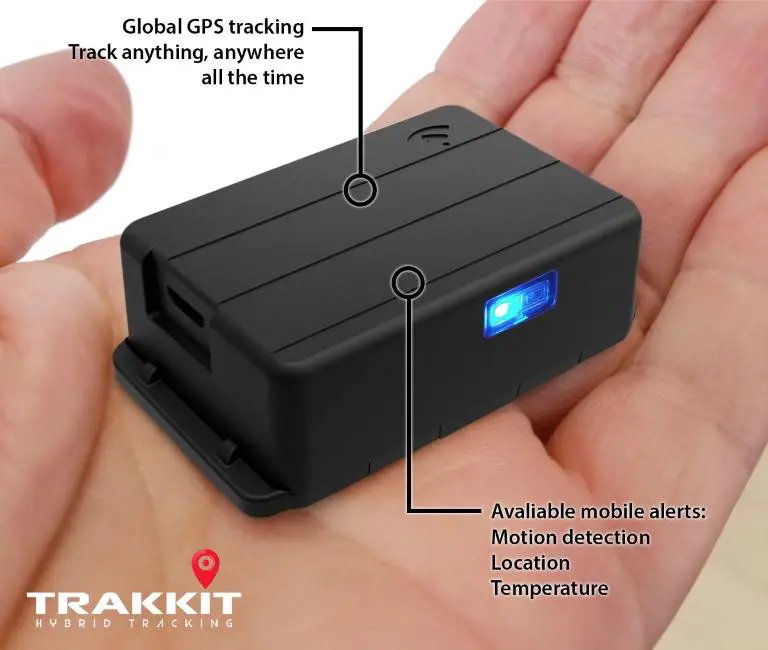
Trakkit is a true Wi-Fi GPS tracker designed for customers who want tracking features without cellular service or subscription fees.
- No SIM card / no cellular required: data uploads over Wi-Fi.
- GPS tracking + GPS logging: it can record location points and upload when it’s back in Wi-Fi range.
- Alerts: motion, vibration, and geofence alerts when configured.
- Apps: view and manage devices from mobile and desktop.
This makes it a strong match for Starlink: you’re using Starlink as your “internet backhaul,” and Trakkit as the tracker that uploads over your Starlink Wi-Fi network.
GPS Tracker for Starlink (Setup)
Step 1: Make sure your Starlink Wi-Fi reaches the asset
Start by checking Wi-Fi signal strength where your trailer/vehicle/equipment sits. If needed, extend coverage using Starlink Mesh or a third-party router/mesh system connected to Starlink.
Step 2: Install and power the tracker
Place the tracker where it can stay hidden and secure. For vehicles or long-term installs, consider external power options (when applicable) so you’re not relying only on batteries.
Tip: If your asset is exposed to weather, use an appropriate enclosure and mounting method.
Step 3: Connect the tracker to your Starlink Wi-Fi
Connect the device to your Starlink network (or the Wi-Fi network connected to Starlink). If you split Wi-Fi bands, make sure the tracker joins the 2.4 GHz network for longer range.
Step 4: Choose the right mode (Tracking vs Logging)
- Tracking mode: sends updates when Wi-Fi is available.
- Logging mode: records GPS points and uploads later when it reconnects.
Step 5: Set geofences and alerts
For remote sites, geofences are usually the most useful feature: get alerted if a trailer moves outside a defined area, then use the last-known location and subsequent uploads to support recovery.
Best practices for range, reliability, and installs
- Prefer 2.4 GHz for range: it typically reaches farther than 5 GHz and is better for yards and outbuildings.
- Use mesh/access points for large areas: if your trailer lot is bigger than a single router’s coverage, add nodes to remove “dead zones.”
- Think in “upload zones”: you don’t always need continuous live tracking—many customers mainly need alerts, history, and a last-known location.
- Decide what you’re optimizing for: anti-theft recovery, usage history, fleet oversight, temperature logging, etc.
FAQs
Will a Wi-Fi GPS tracker work while driving?
It can provide real-time updates when connected to a configured Wi-Fi network. It can also record GPS points while away from Wi-Fi and upload them after it reconnects. If you require continuous live tracking everywhere, you’ll want a cellular or satellite tracker instead.
Do I need Starlink for this to work?
No—Starlink is just one way to provide internet via Wi-Fi in remote places. This also works with home Wi-Fi, mobile hotspots, and site Wi-Fi. Starlink is ideal when cellular coverage is weak.
How far can it connect from the Starlink router?
Wi-Fi range depends on placement, obstacles, and interference. For larger properties, add mesh nodes or a third-party Wi-Fi system connected to Starlink to extend coverage where your assets sit.
Is Trakkit waterproof?
For outdoor or exposed installs, use a protective enclosure suitable for the environment.
Is this affiliated with Starlink/SpaceX?
No. Starlink is a third-party service you can use as the internet connection for Wi-Fi-based GPS tracking.
Next step
If you want a GPS tracker that can upload over Wi-Fi (no SIM, no cellular, no monthly fees) and you already run Starlink at a remote site, this approach is a simple way to get practical tracking and alerts.